
Most Shopify stores don’t have a problem sending emails.
They have a problem sending the right emails, in the right way, with the right control.
Everything looks fine on the surface.
Orders trigger emails. Customers get notifications. Shopify handles it.
But if you’ve ever tried to go one level deeper, you’ve probably felt it:
You can’t really control how emails are sent.
You can’t customize them beyond a point.
And scaling them feels… fragile.
That’s where things start to break.
And that’s exactly why combining Shopify Flow with SMTP-based email sending changes how your store operates.
The gap Shopify doesn’t solve (by default)
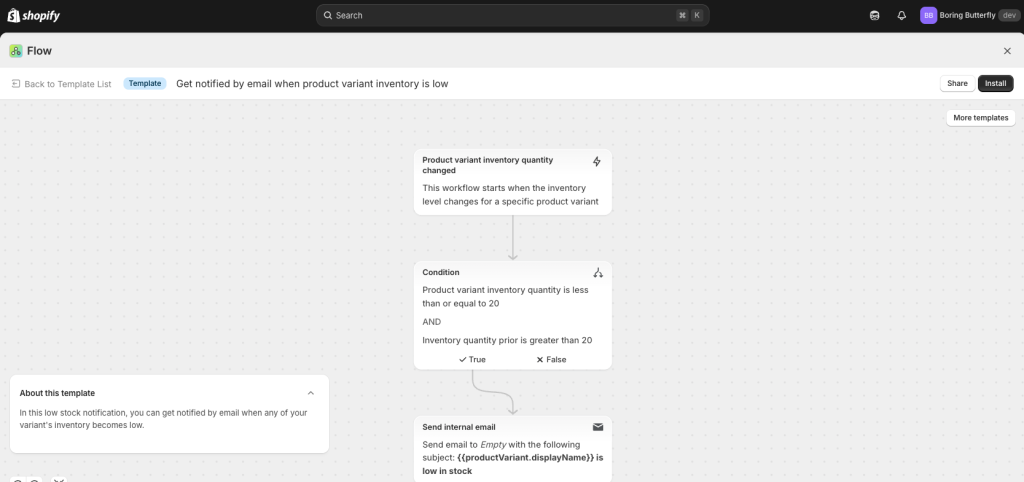
Shopify Flow is powerful.
It lets you automate logic inside your store.
You can say:
- when an order is placed → do something
- when a tag is added → trigger something
- when a condition is met → react instantly
But when it comes to emails, Flow hits a limitation.
It can trigger them.
It doesn’t really own them.
Most stores still rely on basic notification systems or external tools that aren’t deeply connected to Flow.
And that creates a disconnect.
You have automation…
But not full control over communication.
Why SMTP is the missing piece
SMTP sounds like a backend detail.
But it’s actually the layer that decides:
- whether your email lands in inbox or spam
- how your brand is perceived
- how far you can scale
Instead of sending emails through shared systems, SMTP lets you send emails through your own infrastructure.
That could be Gmail.
Or SendGrid.
Or Amazon SES.
Or Mailgun.
Doesn’t matter.
What matters is this:
You now control the pipe.
And once you control the pipe, everything becomes more predictable.
This is where most stores get stuck
Even if someone understands Flow and SMTP separately, they struggle to connect them.
Because Shopify doesn’t natively give you a clean way to:
“Trigger emails from Flow using your own SMTP setup”
So what happens?
They either:
- stick to basic emails
- or use external tools that don’t fully integrate with Flow
Both options limit what you can actually build.
A better way to think about this setup
Don’t think of this as “email automation.”
Think of it as:
building a communication system inside your store
Where:
- Flow decides when something should happen
- SMTP decides how that communication is delivered
And the combination becomes your operating layer.
Where FlowSend fits in (and why it exists)
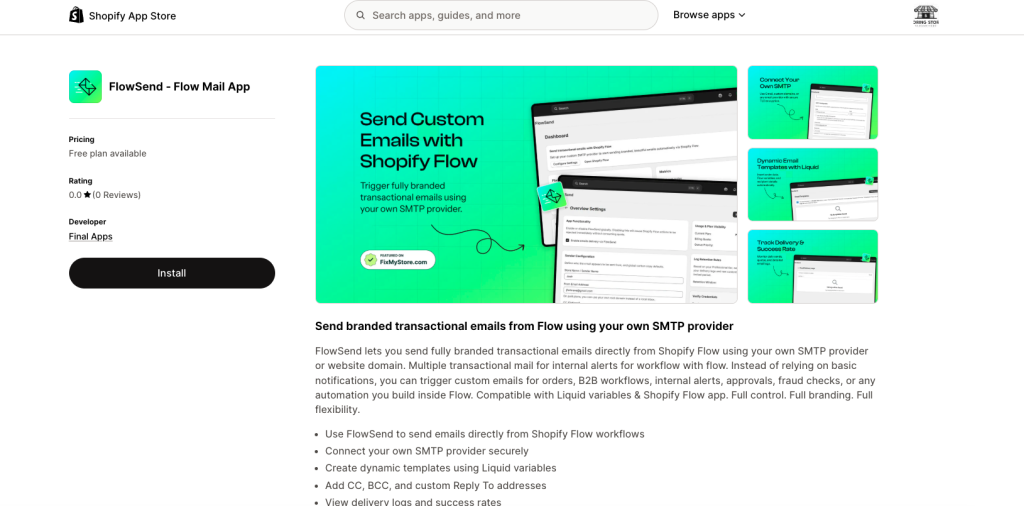
This exact gap is why we built FlowSend.
Because we kept seeing the same pattern:
Stores had powerful workflows…
But were still sending emails like it was 2018.
FlowSend connects directly with Shopify Flow and lets you:
- send emails using your own SMTP provider
- build dynamic templates using Liquid
- add CC, BCC, and reply logic
- track delivery logs and success rates
Instead of relying on generic notifications, you can now send:
- branded transactional emails
- internal alerts
- approval workflows
- fraud checks
- B2B communications
All directly from Flow.
No hacks. No workarounds.
Just a clean connection between logic and delivery.
The setup is simpler than you think
Most people expect this to be technical.
It’s not.
You install the app, go to settings, and enable email delivery.
(If you skip this, Flow actions will trigger but emails won’t send at all, which is a common mistake)
Then you define your sender.
This part matters more than people think.
Using something like noreply@yourstore.com instantly improves trust compared to a random Gmail address. Over time, it also helps with deliverability
After that, you plug in your SMTP details:
- host
- port
- username
- password
That’s it.
Port 587 is usually the safest choice. It works with most providers and is widely supported
You send a test email.
If it lands, you’re ready.
What you can actually build with this
This is where things get interesting.
Because once Flow and email delivery are connected properly, you stop thinking in “emails” and start thinking in systems.
For example:
A failed payment can trigger:
- an internal alert to your team
- a follow-up email to the customer
- a retry logic after a delay
A fulfilled order can trigger:
- a delayed review request
- a cross-sell email
- a feedback loop
A high-value customer can trigger:
- a different communication flow
- exclusive offers
- priority support alerts
None of this requires manual work once it’s set up.
And more importantly, it all runs inside Shopify.
Choosing your SMTP provider (practical take)
If you’re just starting, Gmail works.
But it has limits. Around 500 emails per day for personal accounts
That’s fine early on.
But as you grow, you’ll likely move to:
- SendGrid for flexibility
- Amazon SES for cost
- Mailgun for control
The good part is:
You don’t need to change your system.
Just swap the provider.
The part most people ignore (and regret later)
Deliverability.
This is where most setups quietly fail.
Not because the system is broken.
But because the foundation isn’t set properly.
If you’re serious about this, do the basics:
- use your domain
- set up SPF, DKIM, and DMARC
- don’t send to bad lists
- monitor logs
These sound boring.
But they decide whether your emails actually work
Why this matters more than you think
Most Shopify stores focus on getting more traffic.
Ads. SEO. Content.
But very few optimize what happens after someone interacts with the store.
That’s where this setup lives.
It doesn’t bring more visitors.
It makes every visitor more valuable.
Final thought
Shopify Flow gives you logic.
SMTP gives you control.
But the real leverage comes when both are connected properly.
That’s the layer most stores are missing.
And once you set it up, it quietly works in the background every single day.
FlowSend is available on the Shopify App Store (by Final Apps), and you can start with a free plan to test your workflows.