At some point, almost every Shopify store ends up with more apps than it actually needs.
It doesn’t happen because of bad decisions. It happens because apps are the fastest way to solve problems. Something breaks, you install a tool. You want a new feature, you install another. Over time, the store becomes a collection of fixes rather than a system that was intentionally designed.
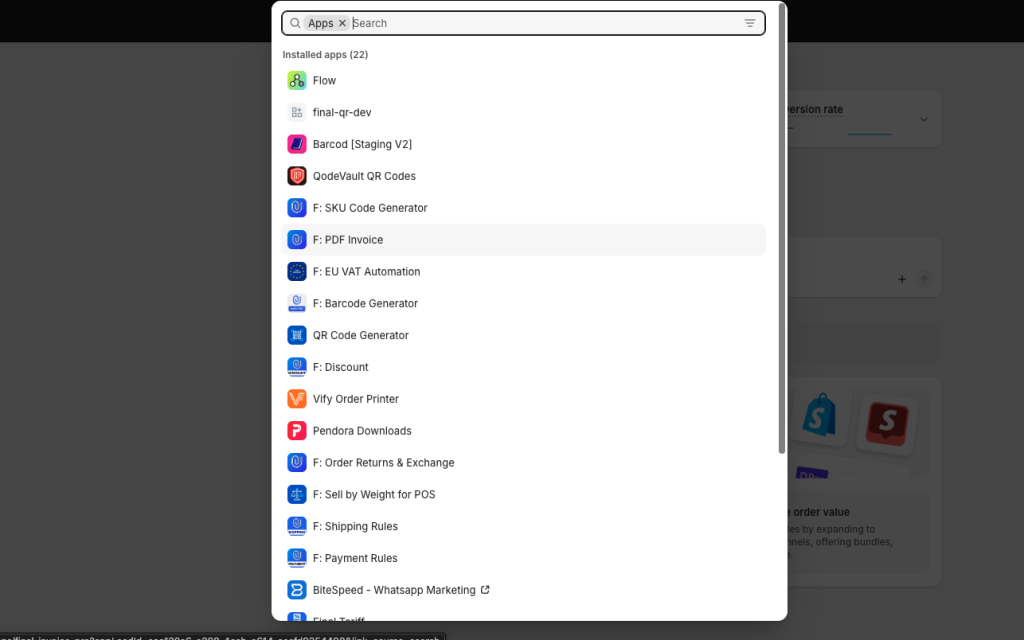
The problem is, once everything is “working,” no one goes back to question what should still be there.
That’s where most stores get stuck.
The real issue is not cost, it’s lack of clarity
When people talk about reducing app costs, they usually focus on subscription fees. That’s only part of the problem.
A heavier app stack affects how the store behaves.
Pages take longer to load.
Features overlap.
Data gets fragmented.
And internally, it becomes harder to answer simple questions like: what is actually driving results in this store?
When that clarity is missing, decisions slow down. And when decisions slow down, growth does too.
Read: How to Reduce Shopify App Costs Using Shopify Flow and Sidekick
Why most app audits don’t work
If you try to review your apps manually, you usually end up going in circles.
You open the app list, look at the pricing, maybe check when it was last used, and try to remember why it was installed in the first place.
That process rarely leads to confident decisions.
Because usage alone doesn’t tell you whether an app is valuable. An app can be “active” and still not contribute anything meaningful to conversions, retention, or operations.
The real question is not whether an app is being used.
It’s whether it is doing something that cannot be handled better elsewhere.
This is where Sidekick becomes useful
Sidekick is not going to magically decide your stack for you. But it can give you a much better starting point than guessing.
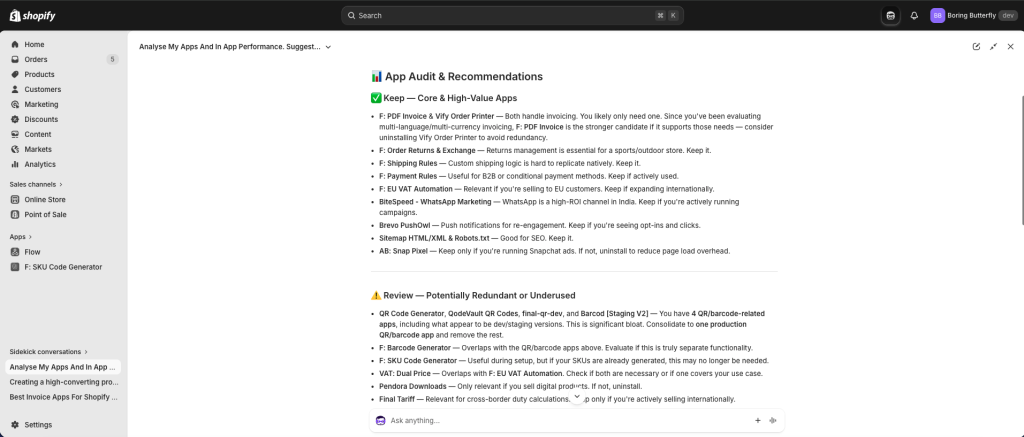
Instead of reviewing apps one by one, you can step back and ask for a structured view:
Analyse my apps and in-app performance. Suggest which apps I should keep, which ones are underperforming, and where I can replace them using Shopify Flow.
What you get is not a list of opinions. You get a perspective based on how your store is actually operating.
It starts connecting the dots between what an app does and whether that function still makes sense in your current setup.
That shift alone makes the audit process far more objective.
What you should actually look for
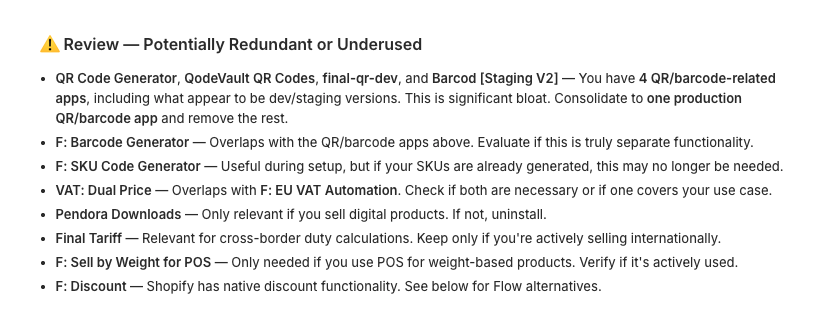
Once you start reviewing apps with that context, patterns become obvious.
Some apps are clearly worth keeping. They handle complex use cases or directly impact revenue in a way that would be difficult to replicate.
Others fall into a different category. They exist to handle small, repetitive tasks — things like sending notifications, triggering simple emails, or managing basic logic in the background.
These are usually the first candidates for removal.
Not because they are bad tools, but because the problem they solve is better handled as part of a workflow rather than as a standalone dependency.
Replacing apps with workflows instead of deleting blindly
The goal is not to remove apps and hope everything continues to work.
The goal is to replace them with something more intentional.
This is where Shopify Flow becomes important.
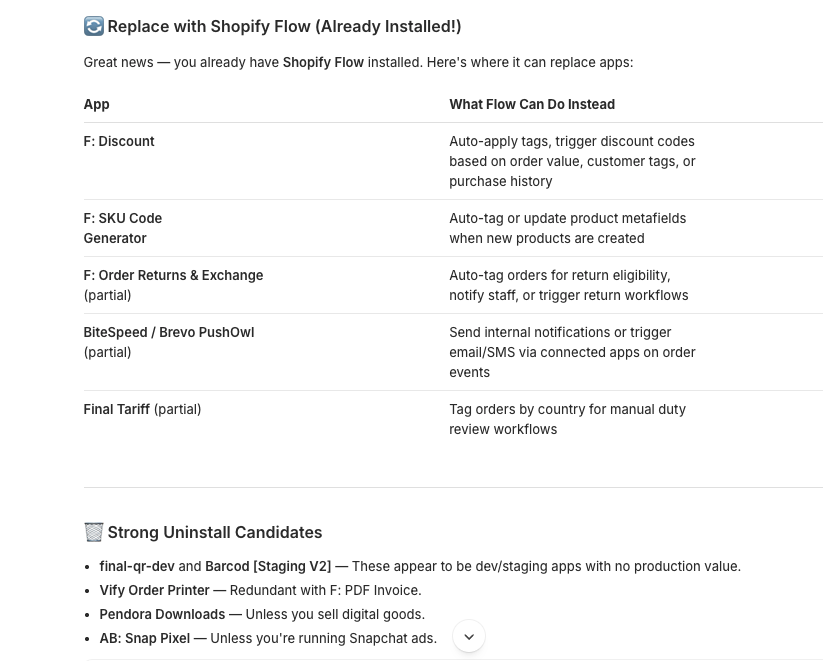
Once you identify what an app is actually doing, you can often recreate that logic inside Flow. When a condition is met, an action is triggered. The store responds automatically, without relying on an external tool.
This approach is cleaner, easier to maintain, and usually more predictable.
And in many cases, it eliminates the need for an entire category of apps.
Email is usually where things break
One place where most replacements fail is email.
A lot of workflows depend on sending some form of communication. If that part is not handled properly, the whole system feels incomplete.
That’s why many stores keep email apps even after moving other logic into Flow.
You can read more about Shopify Email Automation here.
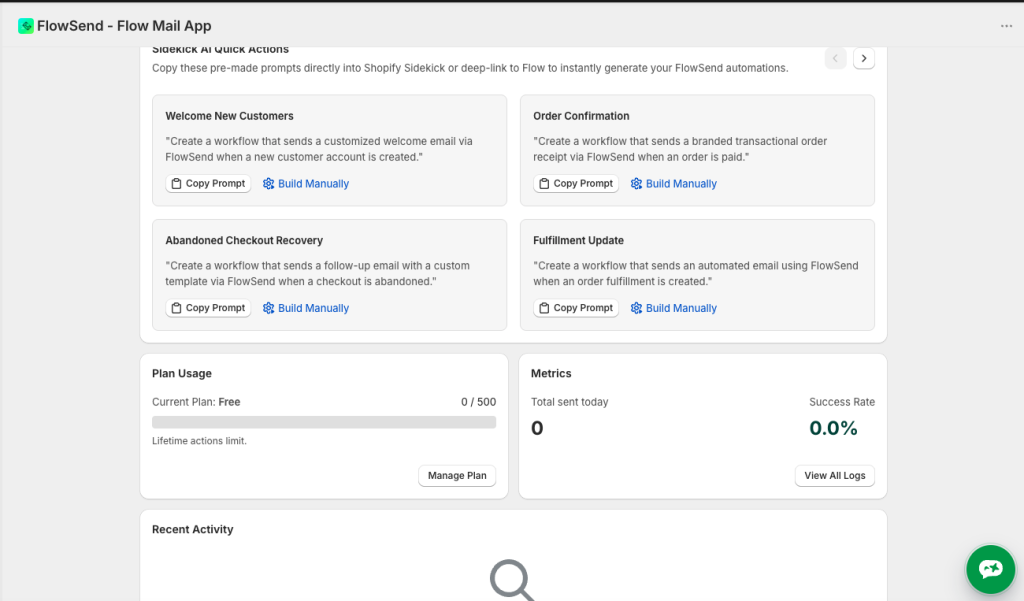
Using something like FlowSend solves this gap. It allows workflows to send emails using your own SMTP, which means you’re not limited by default actions or forced to depend on another platform just for communication.
Once email becomes part of your workflow layer, a lot of previously “necessary” apps stop being necessary.
Make this a habit, not a one-time cleanup
The biggest mistake is treating this as a one-time exercise.
App stacks grow again if they are not reviewed regularly.
A simple approach is to revisit this weekly or monthly and run the same Sidekick prompt. Over time, you build a much clearer understanding of what belongs in your stack and what doesn’t.
You stop installing tools impulsively and start thinking in terms of systems.
Final thought
Deciding which Shopify apps to remove is not really about cutting costs.
It’s about regaining control over how your store operates.
Sidekick helps you see the bigger picture.
Shopify Flow gives you a way to implement cleaner logic.
And once you start thinking in workflows instead of tools, your store becomes easier to manage, easier to scale, and far less dependent on a growing list of apps.